Access to University platforms
All students who finished their admission process and who signed the Learning Agreement and the Official Decision receive access to their personal online portal where they have access to their schedule and other important information, such as the state of their payments, list of professors and how to reach them, books listed from the Academic Library and others.
The portal is accessible via the below link:
https://bit.ly/3sc6MqC
In addition to that all students receive their own student email powered by Outlook. The instructions on how to log in to the mentioned portals will be available below.
-
- Go to https://www.office.com/ to log into your account.
- Click on „Log in” [„Zaloguj się”]. The login window will be displayed. Type your WSB University email address: name.surname@student.wsb.edu.pl
[imie.nazwisko@student.wsb.edu.pl]. Do not use any special symbols in your name and surname (like ą,ę,ó). - Then click on „Next” [„Dalej”]. When you log in for the first time, you will be asked to change your password. Make sure to create a strong password in order to keep your account safe!
- After logging in, you will be asked to choose the account recovery method. Please do so.
- Afterwards, you may choose between two methods of authentication: by phone or additional email address. After you provide the phone number or email address, Microsoft will send you a verification code (via text message or email, depending on the method selected). Type in the code received and click on “Verify” [“Weryfikuj”].
- When the code is verified, the system logs the user in. Your email address or phone number will be used in case you need to reset the password to Office365.
- After logging in you will see the whole desktop of Office 365 (see picture below). On the left you will find the application menu.
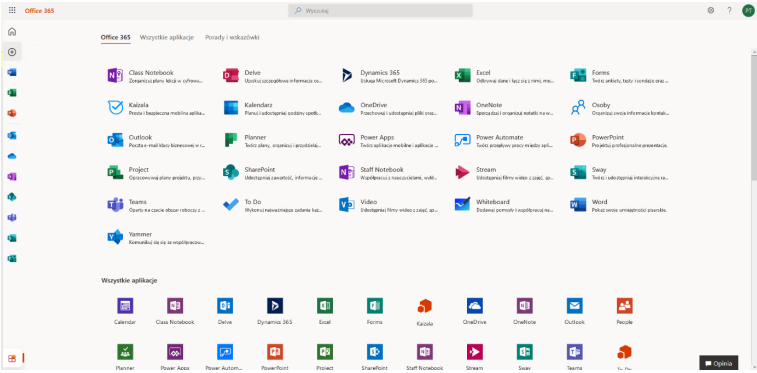
And you are done!
Enjoy all the benefits of MSTeams!